Content semantics (Beta)
Overview
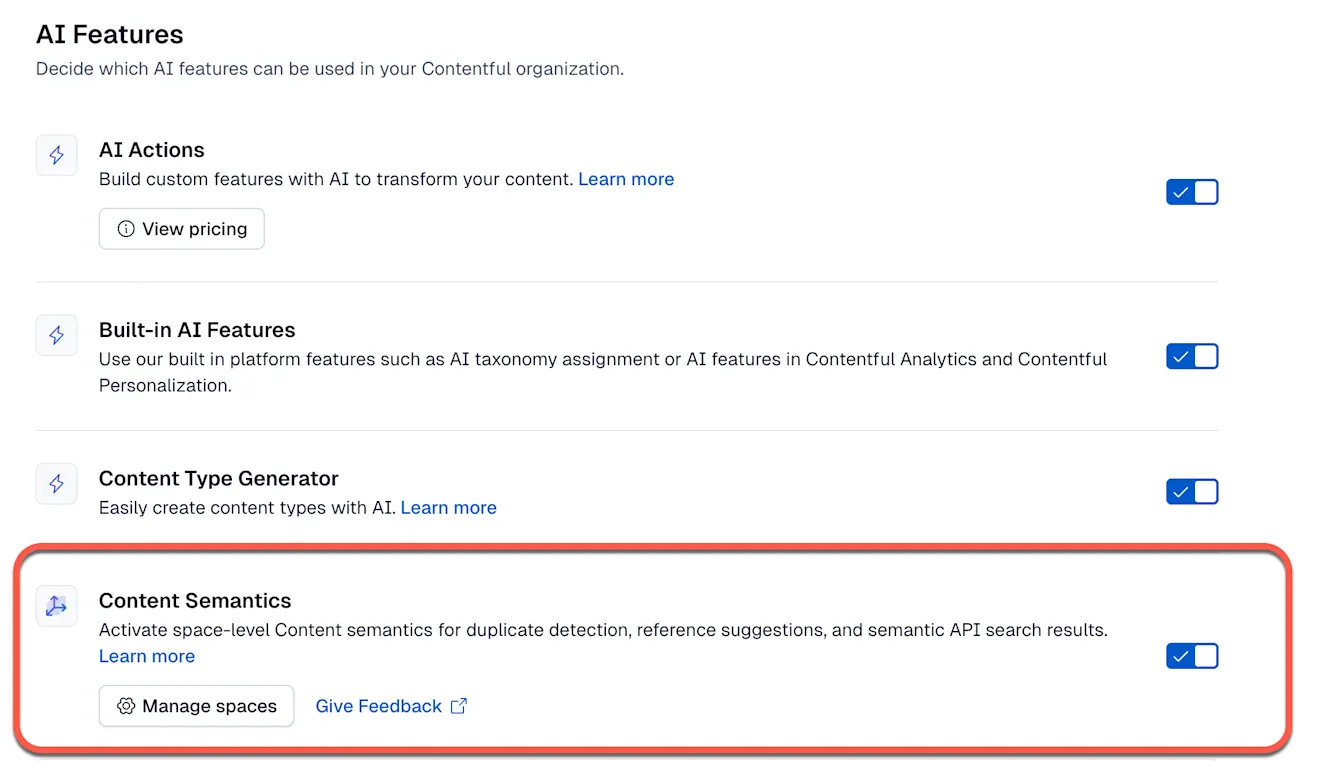
Located in the AI & Automations tab under “Organization settings,” Content semantics is a feature that converts your entries into vectors so the system can understand the semantic meaning beyond just keywords.
Once enabled for selected spaces, you can detect duplicates, suggest relevant references, and power AI Actions with semantic context. You can also query your content semantically through the API.
NOTE: This feature is currently in beta and only available to a limited number of customers.
Once enabled for a space, it allows you to:
Avoid duplicate content by identifying entries that cover the same topics or ideas.
Reuse the right content by suggesting relevant entries when you add references or links.
Improve content quality by giving AI Actions better context from your existing content, so checks and generated output are grounded in what you’ve already published.
To enable Content semantics:
Log in to Contentful as an organization admin.
Go to Organization settings → AI.
Turn on the Content semantics toggle.
Accept the AI Terms of Service, if prompted.
Click Manage Spaces, select the spaces to enable.
Choose a target locale for each space.
Once enabled, content in the selected spaces is analyzed and kept up to date automatically. NOTE: this analyzing time for content in the selected spaces can vary.
Content semantics is included in all paid Contentful plans.
Key features
Duplicate detection - identify entries of the same type with similar content.
In the entry view, click Find duplicates next to the AI Actions icon.
Results are labeled High / Medium / Low similarity.
Multiple-use references - highlight references used more than once within an entry.
In the References tab, click the icon to highlight entries reused multiple times.
Or select Multiple usage to highlight all reused entries.
Suggested references - see recommended entries when adding existing content.
When adding existing content, switch to the Suggested tab.
See recommended entries that match your content and field validations.
AI Actions with semantic context - reuse relevant entries in consistency checks or content generation.
Consistency check - compare your entry with semantically similar content for accuracy and tone.
Generate from existing content - use Semantic context to pull in relevant entries when creating new content.
Limitations
You can only enable one space at a time during the beta stage.
Environment: master environment only. Web app features and API retrieval use master.
Per-space: Semantic retrieval is within a single space. Multi-space queries are a future goal.
Content types: entries only.