Audience insights
Overview
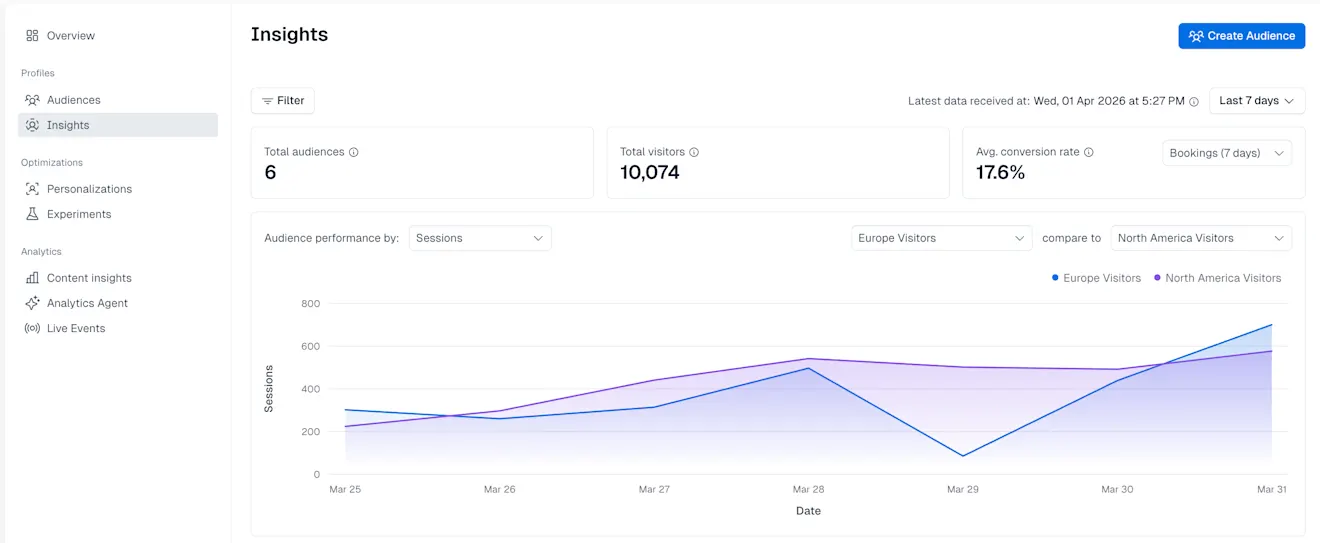
Audience Insights allow you to analyze the audience performance over a selected time frame to understand which user segment has the highest impact for your personalized content. It provides both high-level aggregate metrics, and breakdowns across individual audiences and profile dimensions.
The “Insights” page is displayed on the Optimization tab in the Contentful web app.
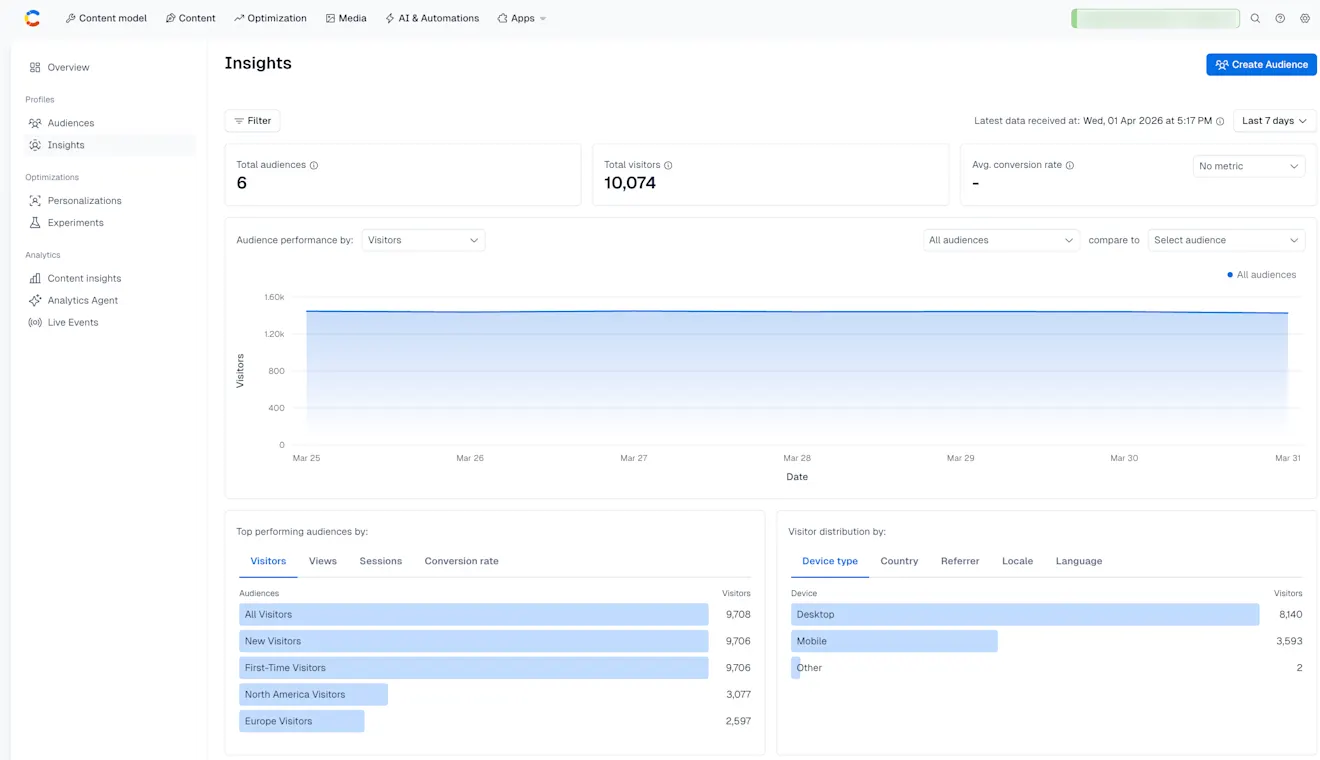
Audience Insights provide you with clear data for every experiment or personalization, such as:
Total audiences – The total number of audiences within the selected time frame that have at least one associated profile.
Total profiles – Represents the total number of unique profiles across all audiences in the selected time frame.
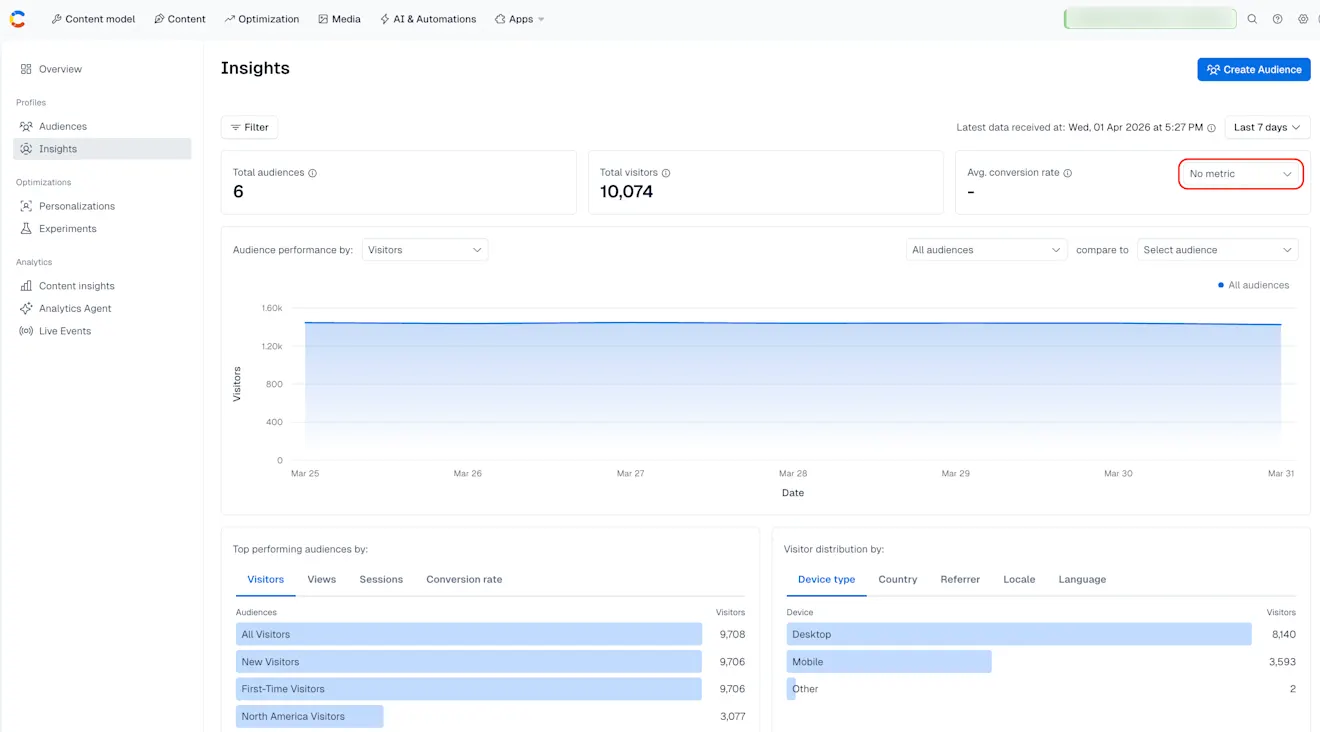
Average conversion rate – Displays the overall conversion rate across all audiences.
Calculated as: Total number of unique converters ÷ total number of profiles
NOTE: To have the Average conversion rate value displayed, you must first select a conversion metric from the drop-down menu.
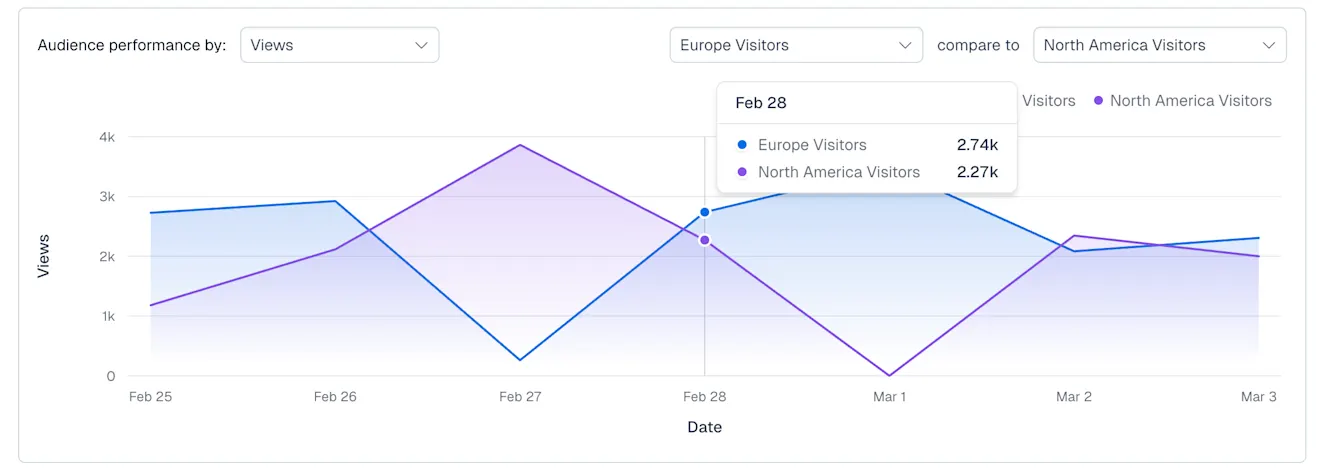
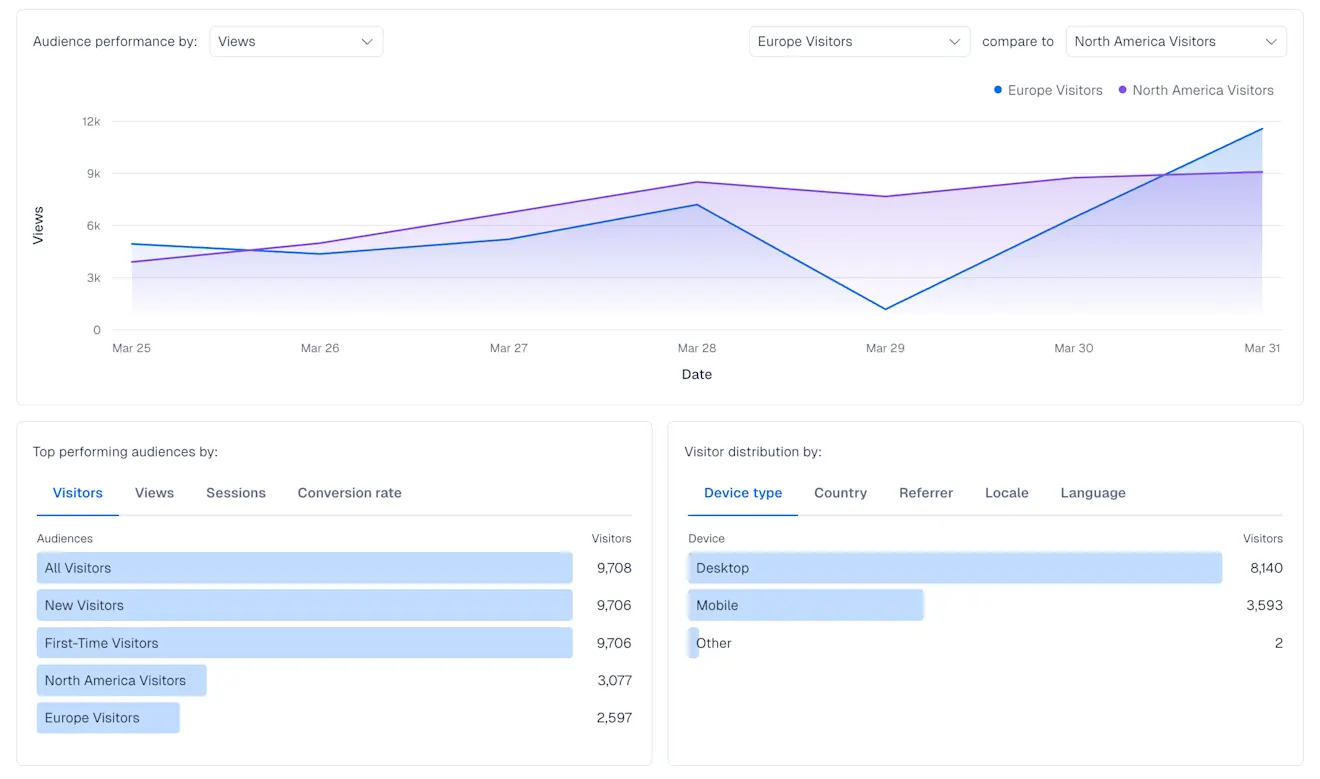
Audience breakdown – Displays the audience performance over time based on the selected metric, Visitors, Sessions or Views, with the option of comparing two audiences.
Top performing audiences by – Displays the 5 top-performing audiences, sorted by:
Number of visitors
Views
Sessions
Conversion rate
Visitor distribution by – Displays how visitor activity is distributed across key profile dimensions. Displays the top 5 values by number of views for each of the following:
Device type
Country
Referrer (source)
Locale (language + region)
Language
Audience breakdown
The Audience breakdown section is a time-series chart displaying the audience engagement by Views, Sessions or Visitors over a period of time, depending on the value selected. You can use the chart to track how audiences evolve over a selected period, and compare the size, views or sessions of two audiences using the audience selector:
Use cases
Track the overall performance of audiences over time.
Identify high-performing and underperforming audiences.
Understand who makes up each audience based on device, geography, and language.
Support optimization decisions for targeting, personalization, and experimentation.